Schedule your pulses
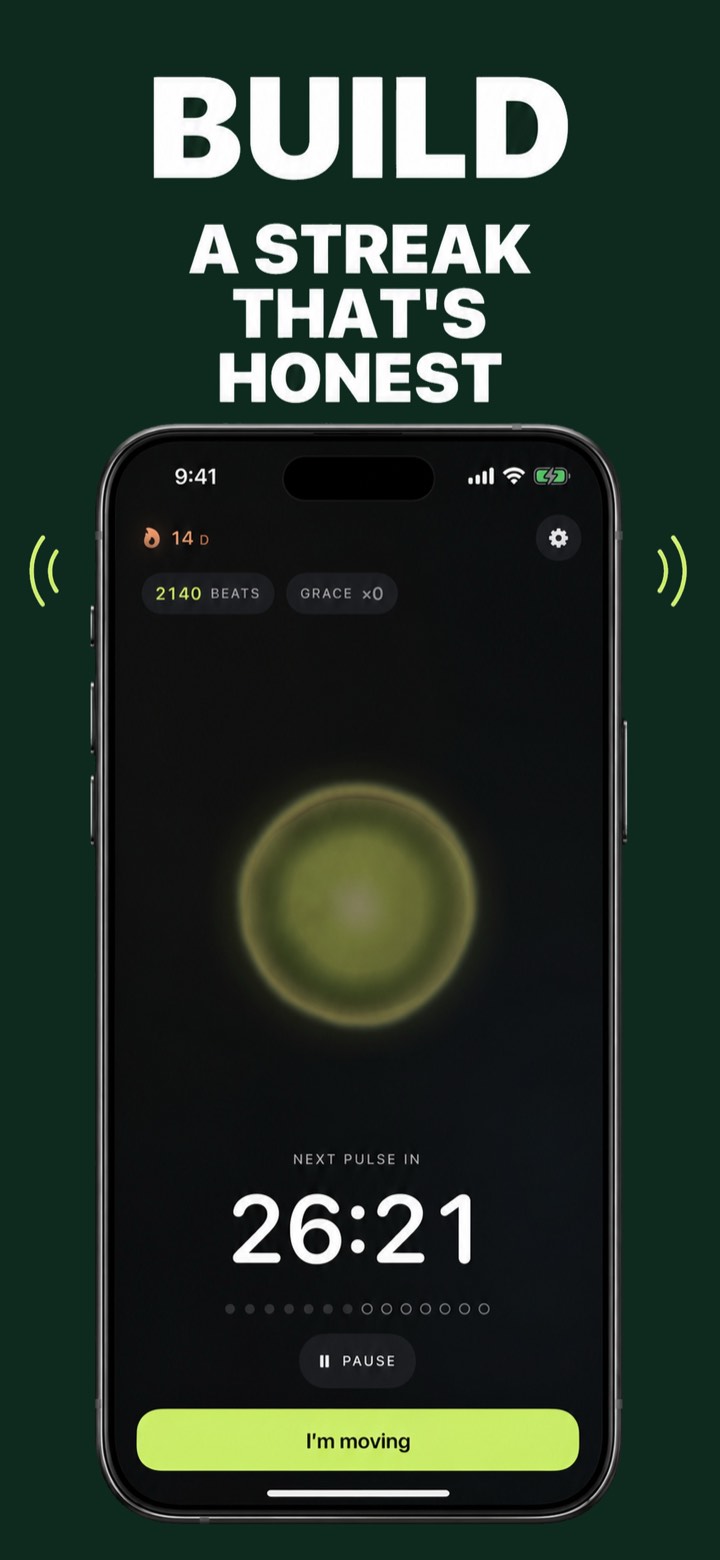
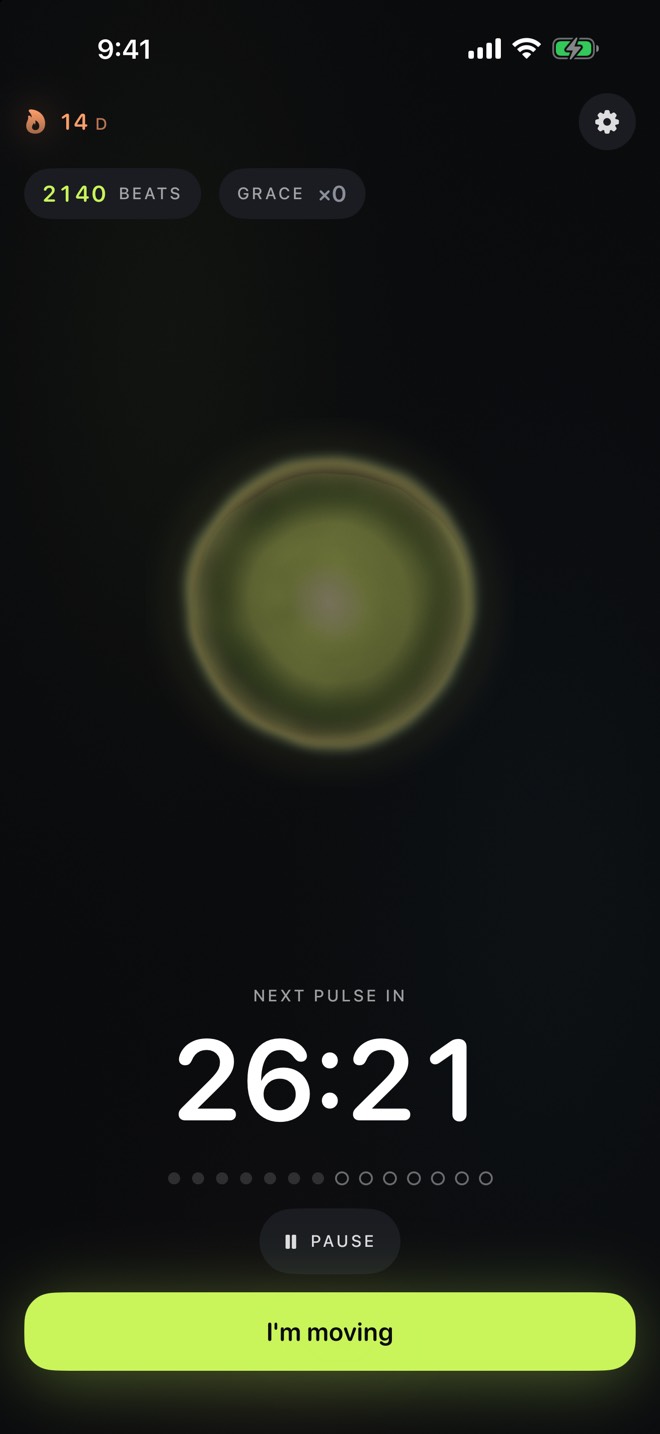
Pick a daily window and cadence — say, every 45 minutes from 9 to 6. Each pulse is a movement break with a countdown you can see.
The movement alarm for people who ignore reminders
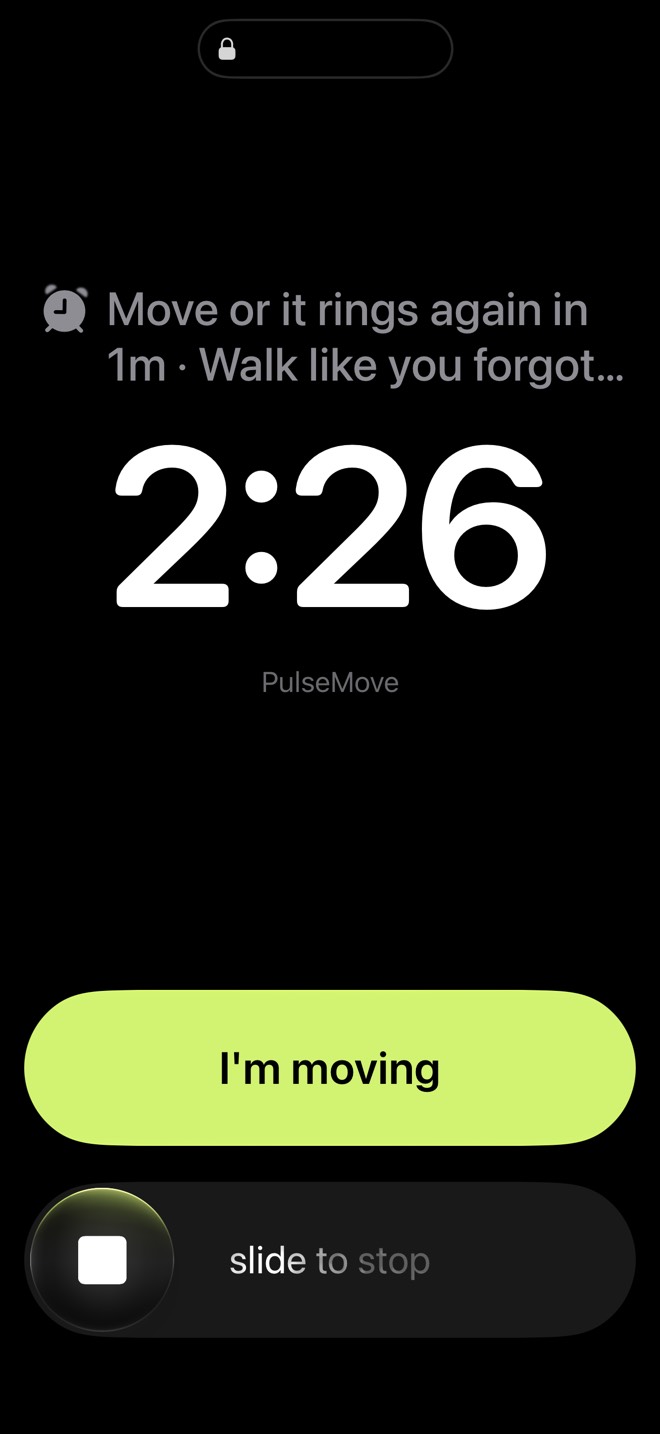
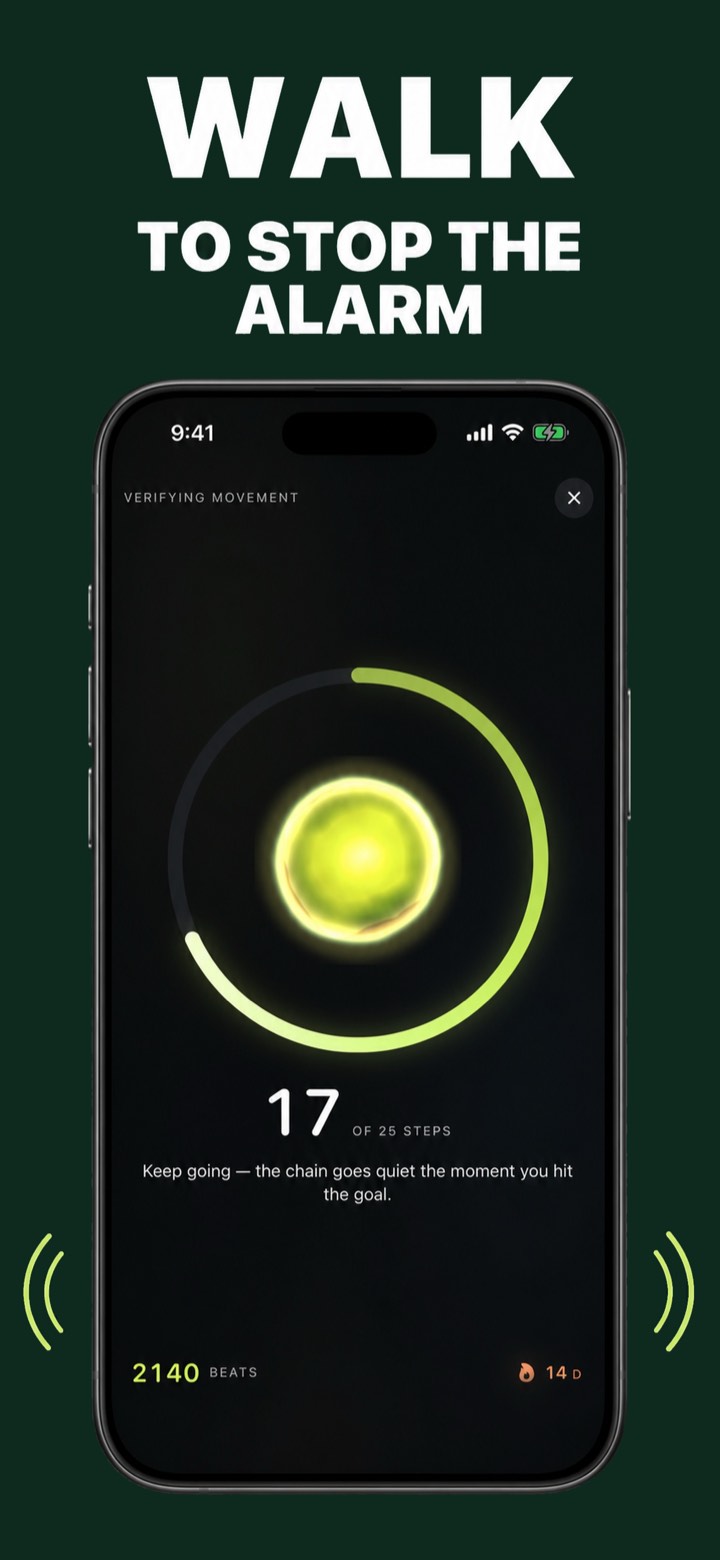
PulseMove is the movement reminder app with teeth: a real lock-screen alarm fires through your workday and won't stay quiet until your iPhone verifies you walked. No swiping it away. No lying to a timer. Just get up.
iPhone · Free 3-day trial, then $49.99/yr or $4.99/wk
On a computer? Scan with your iPhone.
Screenshots
The exact flow from ring to walk to streak — straight from the App Store listing.
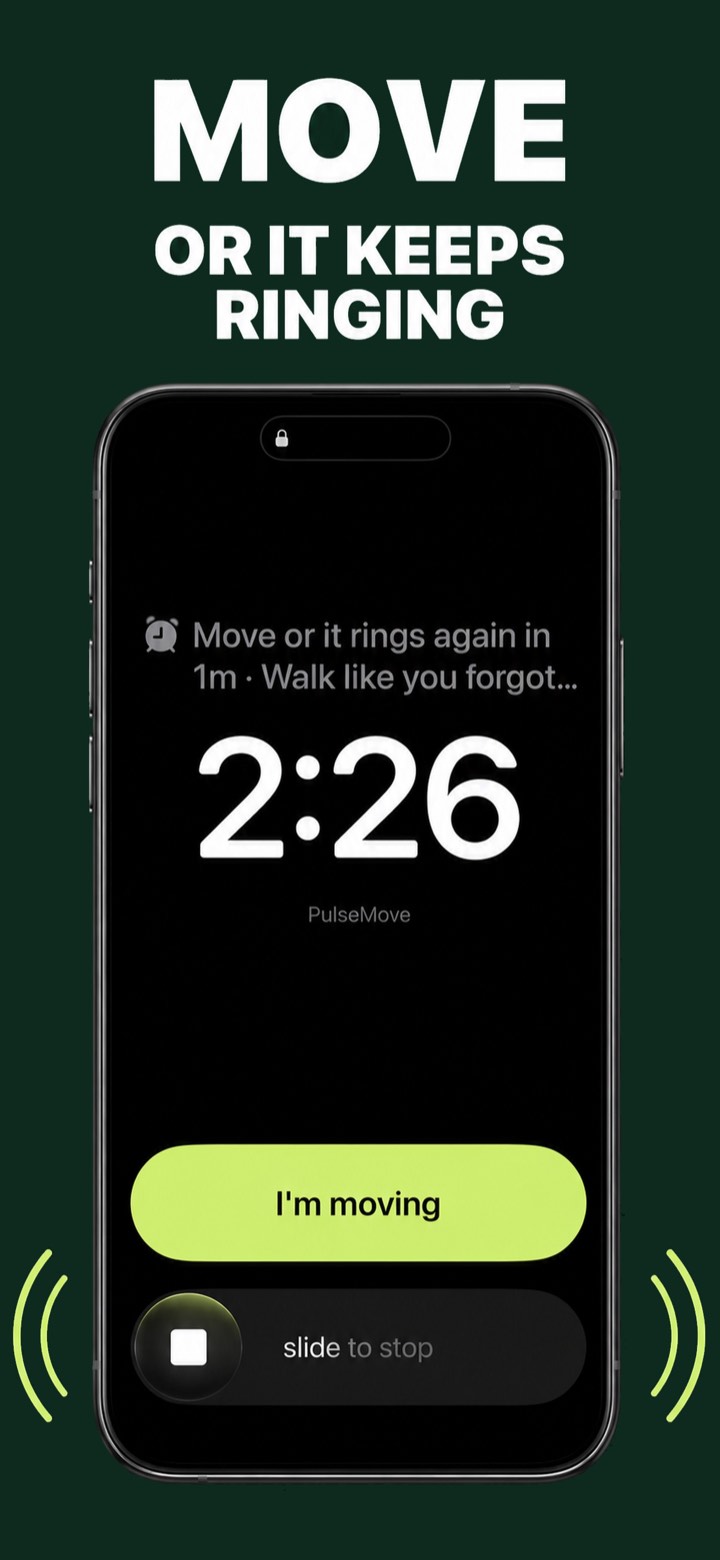
Swipe to see all five
How it works
Four moving parts, zero willpower required. You set the schedule once — PulseMove enforces it every workday.
Pick a daily window and cadence — say, every 45 minutes from 9 to 6. Each pulse is a movement break with a countdown you can see.
When a pulse fires, it's a full lock-screen alarm — like your morning alarm, not a text. Ignore it and it re-rings every minute.
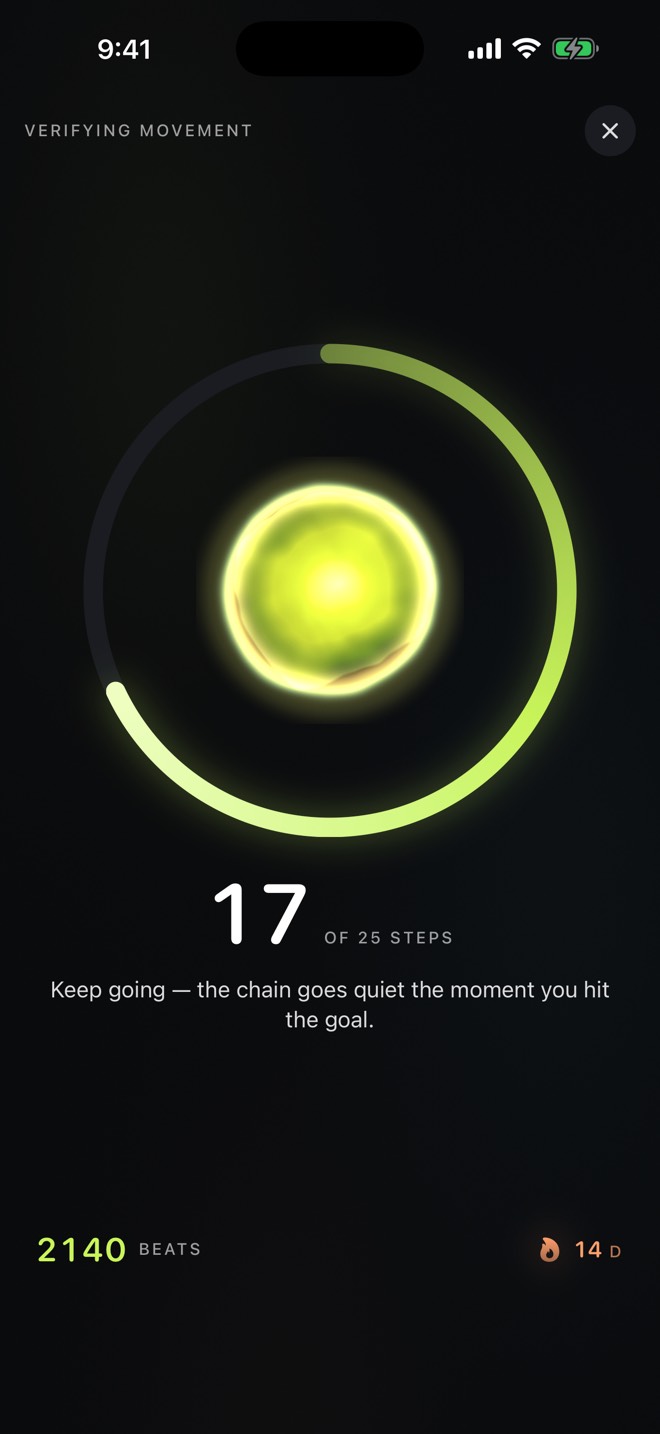
About 25 steps, counted on-device by your iPhone's motion sensor. No honor-system “done” button — the alarm stands down when you've actually moved.
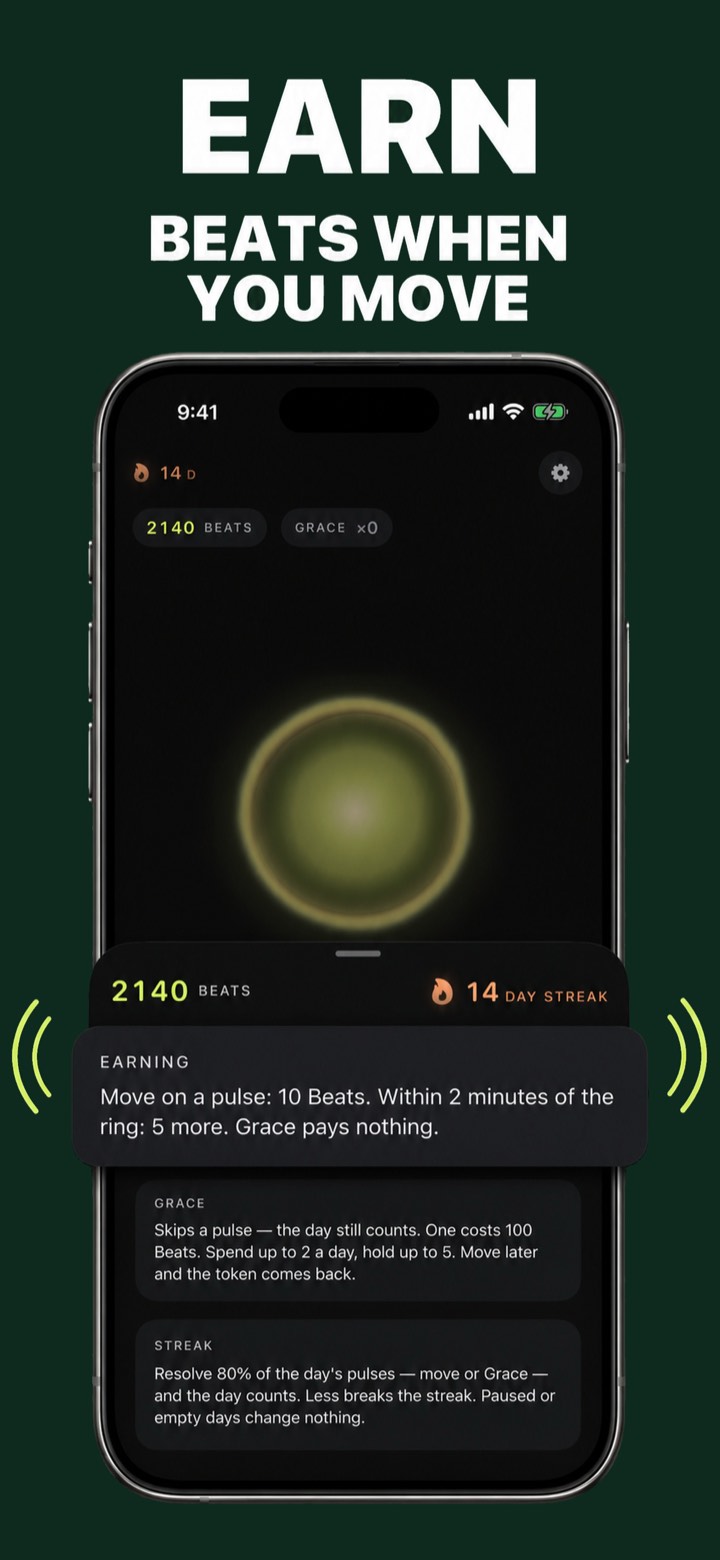
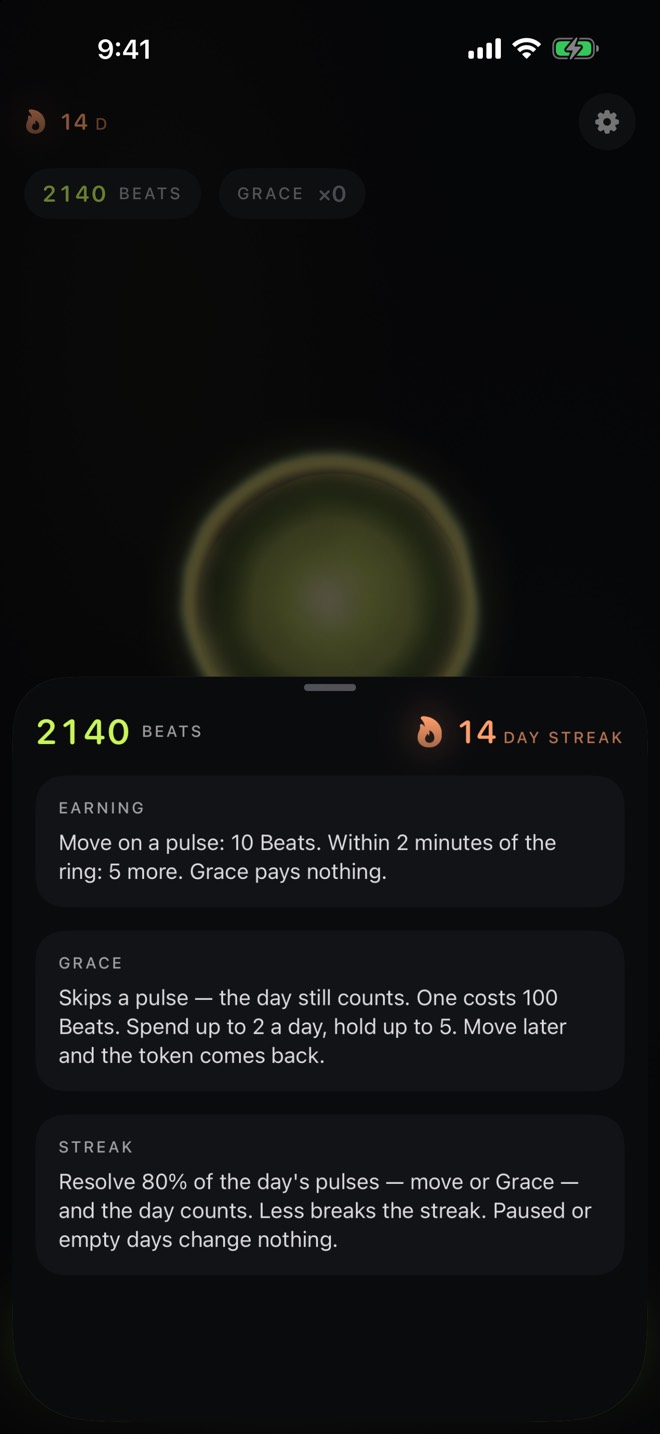
10 Beats per answered pulse, +5 for moving within 2 minutes. Resolve 80% of the day's pulses and your streak counts. You can't fake it — that's the point.
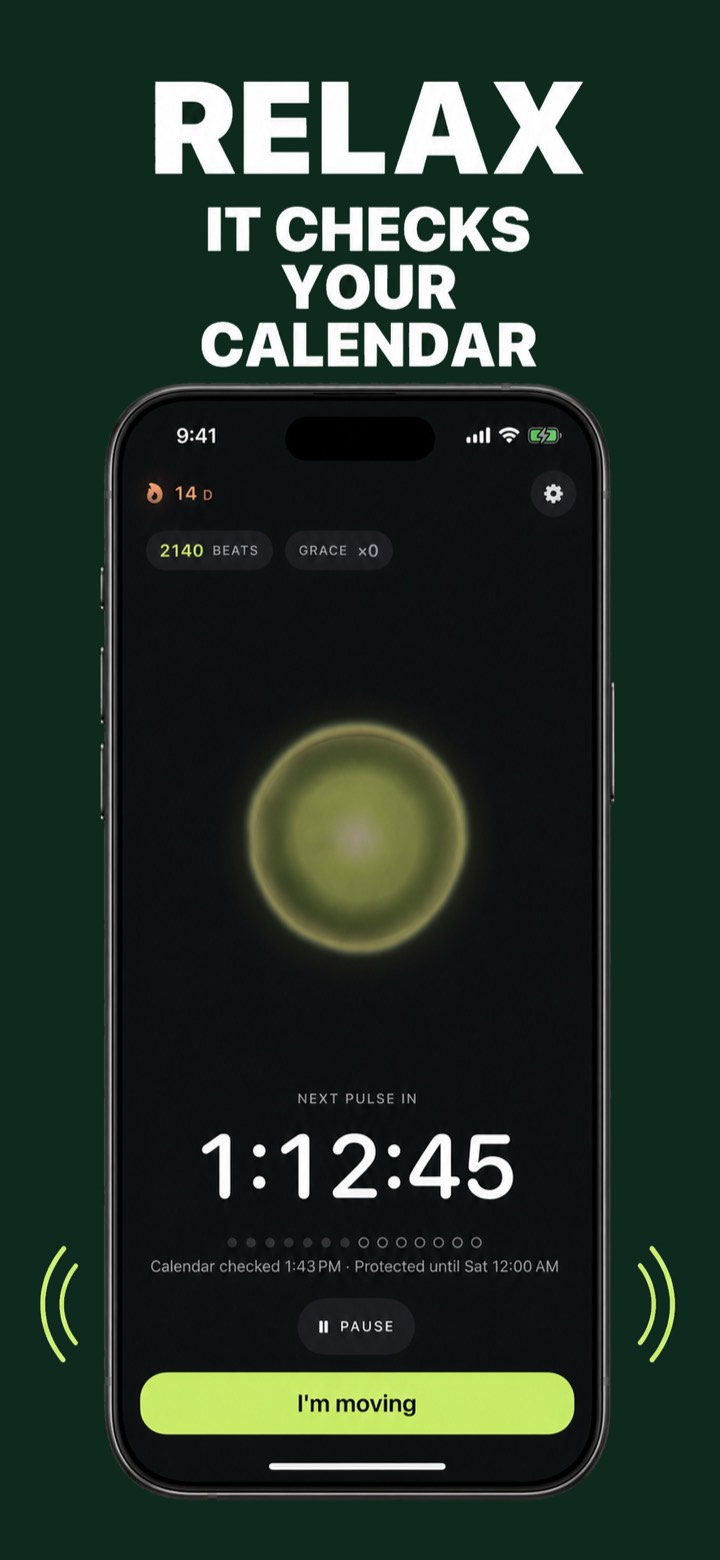
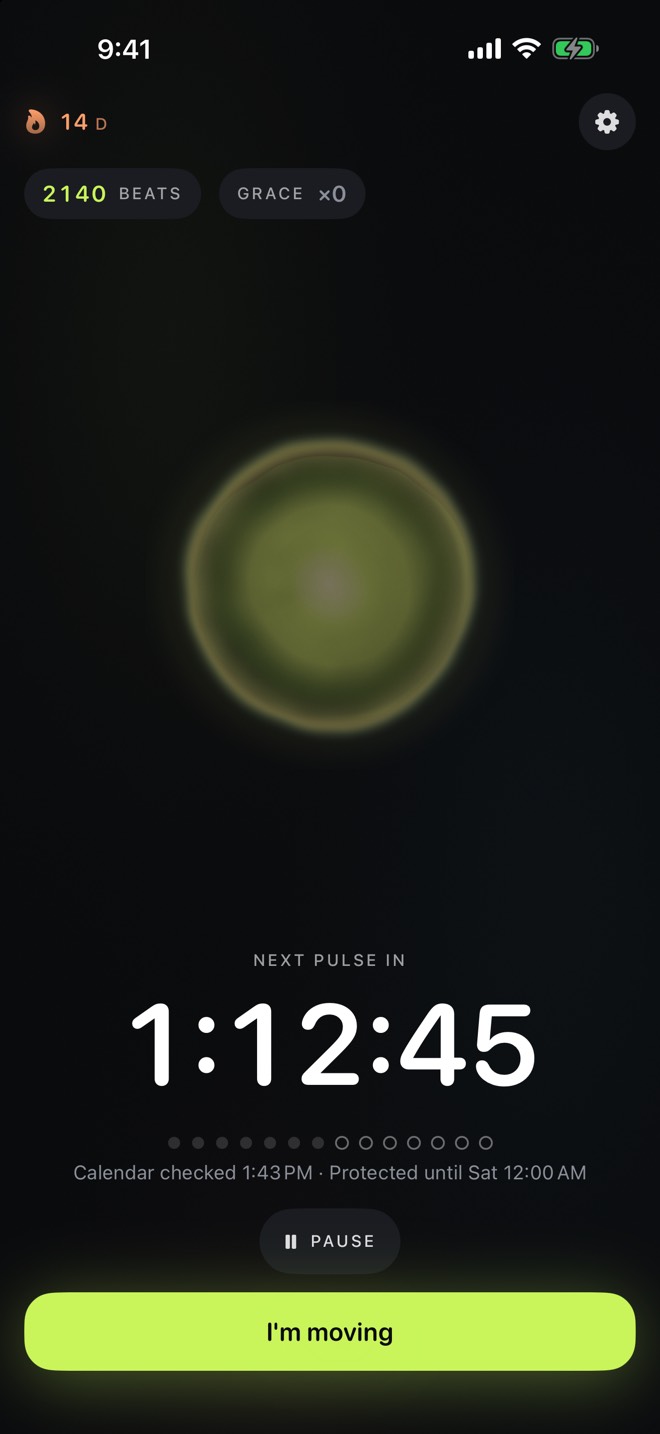
PulseMove checks your calendar and skips pulses that would ring mid-meeting — and shows you exactly how long you're protected.
Driving detection holds pulses while you're behind the wheel. Everywhere else, when in doubt, it rings.
Deep in flow? Spend 100 Beats on a Grace token to skip one pulse — the day still counts, and moving later refunds it.
Guides
Short, practical reads on movement reminders, desk breaks and building a habit that survives deadline days.
Why most stand reminders get swiped away — and what an enforceable one looks like.
Read the guide → Walk-to-dismissWalk-to-dismiss transformed waking up. Here's the all-day version for your desk.
Read the guide → The 30-minute ruleWhat research actually recommends — every 30 minutes, the 20/8/2 rule — and how to hit it.
Read the guide → ADHDTime blindness eats gentle pings for breakfast. Alarm-grade interrupts don't get eaten.
Read the guide → Movement reminderNotification vs. enforcement: the checklist that separates apps that work from apps you mute.
Read the guide → Stand ringYou're not lazy — the nudge is free to ignore. Here's how to give it consequences.
Read the guide → PomodoroTurn the 5-minute break into an enforced walk — and come back sharper for the next block.
Read the guide → Sit lessThe realistic playbook for desk workers — built on systems, not motivation.
Read the guide →FAQ
The one you can't ignore. Most break apps send notifications that cost nothing to swipe away; PulseMove rings a real lock-screen alarm and only goes quiet after your iPhone verifies ~25 walked steps. Learn more →
Yes — walk-to-dismiss alarms exist for waking up, and PulseMove brings the same mechanic to your entire workday: every pulse rings until you physically walk, verified on-device. Learn more →
Research converges on roughly every 30 minutes, with a couple of minutes of movement — the 20/8/2 rule is a common guideline. PulseMove enforces whatever cadence you pick. Learn more →
Hyperfocus and time blindness swallow gentle pings. An alarm-grade interrupt that demands a physical action — walking — is much harder to defer into oblivion. Learn more →
A notification asks; PulseMove verifies. The alarm keeps ringing until the pedometer counts your steps, and your streak only counts days where you resolved 80% of your pulses. Learn more →
Ignoring a stand nudge is free, so you ignore it. Give the reminder consequences: a real alarm that re-rings until your steps prove you moved. Learn more →
Perfectly — match your pulse cadence to your focus blocks and every break becomes a short enforced walk instead of a scroll. Learn more →
Replace willpower with a system: scheduled pulses, a re-ringing alarm, step-verified dismissal, and a streak you can't fake. Decide once; the app enforces daily. Learn more →
No — it checks your calendar and skips pulses that collide with meetings, showing a “protected until” status. It also detects driving and holds pulses in the car. Learn more →
$49.99/year with a 3-day free trial, or $4.99/week — billed through your Apple Account, cancel anytime in Settings. Learn more →
Ready when you are
Set your pulses once. From tomorrow, the alarm does the remembering — and your steps do the talking.
On a computer? Scan with your iPhone.
3-day free trial on the annual plan · Cancel anytime · Your steps and calendar never leave your iPhone