 PulseMove
Why most stand-up reminders stop working in a week
Every desk worker has tried some version of this: a break timer, an hourly chime, a watch tap that says it's time to stand. It works for a few days — novelty is a real force — and then the swiping starts. Not because you're lazy, but because of a simple loop:
- Zero cost to ignore. Dismissing a notification takes half a second and nothing bad happens.
- Habituation. Repeated, consequence-free signals get filtered out. That's your attention system doing its job.
- Bad timing. A fixed chime that fires mid-meeting or mid-flow trains you to see the reminder as wrong, which makes ignoring it feel justified.
The result: the app is still installed, the reminders still fire, and you haven't stood up for any of them since Tuesday.
What an enforceable stand-up reminder looks like
Flip each failure into a requirement and you get a short checklist:
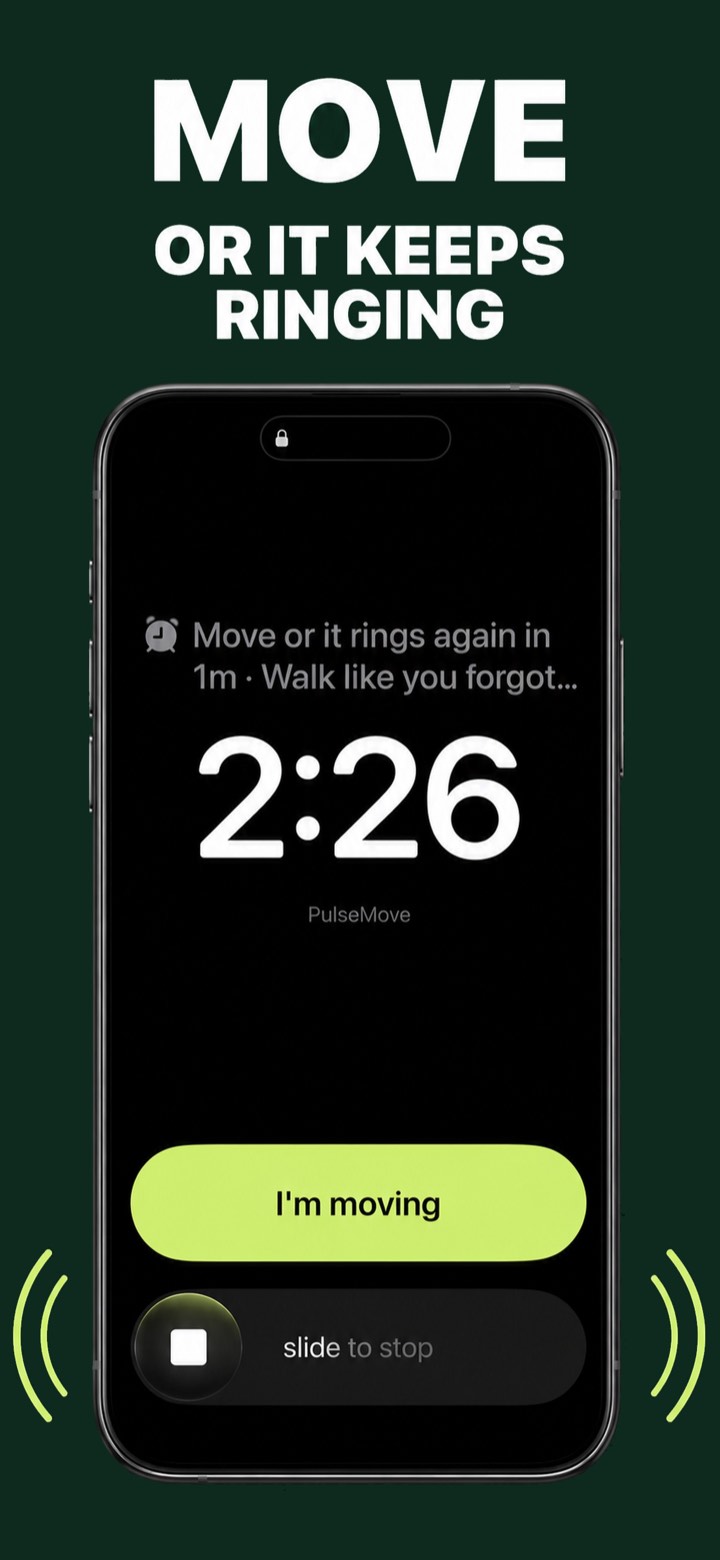
- It rings like an alarm, not a text. A full lock-screen alarm demands a decision. A banner slides away on its own.
- It verifies, instead of trusting you. If tapping “done” dismisses it, you'll tap “done” from your chair. Step-verified dismissal closes that loophole.
- It comes back. One ring is a suggestion. A re-ring every minute until you move is a policy.
- It respects your calendar. Enforcement only earns trust if the alarm knows when it genuinely shouldn't fire — meetings, driving, deliberate pauses.
- It tracks honestly. A streak you can fake is decoration. A streak that requires answering 80% of the day's reminders is evidence.
Set one up in three minutes
Here's the whole setup with PulseMove, the stand-up reminder built around that checklist:
- Pick your window. Tell it when your workday starts and ends — pulses only fire inside it.
- Pick your cadence. Every 30–60 minutes. (Not sure? Start at 45 and read how often you should stand up.)
- Grant motion and calendar access. Motion is how your steps dismiss the alarm; calendar is how meetings stay silent. Both are processed on your phone.
- That's it. When a pulse fires, the alarm rings until you've walked about 25 steps. Skip deliberately with a Grace token when you need one — the day still counts.
The first week, honestly
Day one feels strict — that's the product working. By day three the pattern shifts: you start pre-empting the ring, getting up when the countdown gets low, because a two-minute walk on your terms beats an alarm on its schedule. That pre-emptive move is the habit forming. The Beats you earn and the streak you build aren't the point; they're the receipts.
Stop being reminded. Start being interrupted.
PulseMove rings a real alarm on your schedule and won't stay quiet until your phone verifies you walked. 3-day free trial on the annual plan.
Get PulseMove — free trial